
Introduction
In today’s hyper-competitive business landscape, reacting to what happened last quarter isn’t enough. Smart organizations need to anticipate what’s coming next. That’s where Power BI predictive analytics becomes your secret weapon.
Imagine knowing which products will trend next month, which customers are likely to churn, or what your revenue will be in Q4—all before it happens. With Power BI’s predictive analytics capabilities, this isn’t science fiction; it’s your new reality.
In this comprehensive guide, you’ll discover how to harness the power of AI-driven forecasting and predictive modeling to make smarter, proactive business decisions that keep you ahead of the curve.
What Is Power BI Predictive Analytics?
Power BI predictive analytics combines Microsoft’s industry-leading business intelligence platform with advanced machine learning algorithms to forecast future trends based on historical data.
Unlike traditional reporting that tells you what happened, predictive analytics reveals what will likely happen—giving you the strategic advantage to act before opportunities slip away or risks materialize.
Key Components:
- Automated Machine Learning (AutoML): Build custom ML models without coding
- AI Visuals: Pre-built analytics including forecasting, anomaly detection, and key influencers
- Azure Machine Learning Integration: Advanced predictive modeling for enterprise needs
- Natural Language Q&A: Ask questions about your data in plain English
- Smart Narratives: AI-generated insights that explain what the data means
Why Predictive Analytics Matters for Modern Decision-Makers
The gap between successful companies and struggling ones increasingly comes down to one factor: the ability to make data-driven decisions faster and more accurately.
According to recent studies, organizations leveraging predictive analytics see:
- 20-30% improvement in forecast accuracy
- 15-25% reduction in operational costs
- Significant competitive advantage in market responsiveness
But here’s the real game-changer: Power BI makes these capabilities accessible to business users, not just data scientists. You don’t need a PhD in statistics to unlock predictive insights anymore.
Related Reading: If you’re interested in eliminating decision biases, check out our article on 5 Decision Biases AI Helps Eliminate for deeper insights into how AI enhances decision quality.
5 Powerful Predictive Analytics Features in Power BI
1. Forecasting Visuals
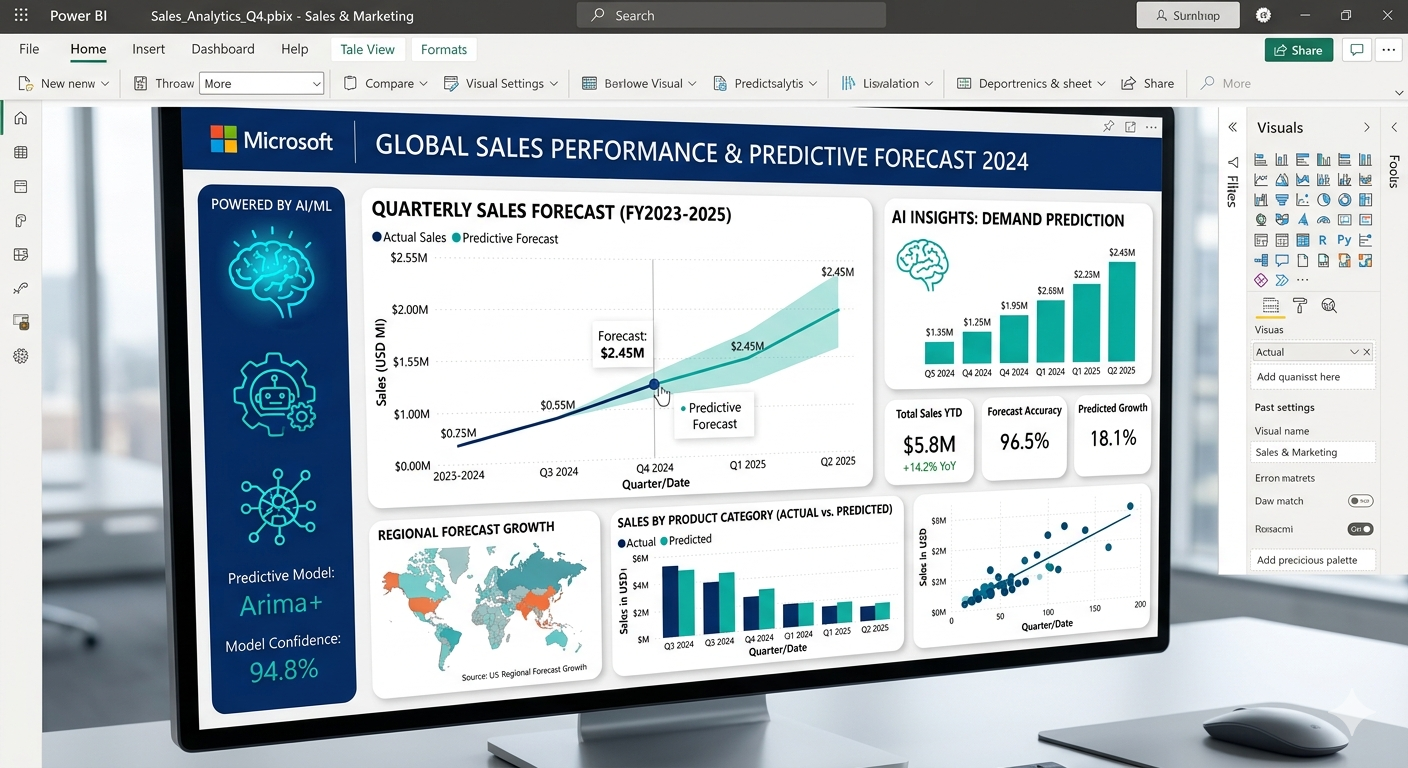
The forecasting feature uses exponential smoothing algorithms to predict future values based on historical trends. Perfect for:
- Sales revenue projections
- Inventory demand planning
- Website traffic predictions
- Budget forecasting
Pro Tip: The more historical data you provide (minimum 60 data points recommended), the more accurate your forecasts become.
2. Anomaly Detection
Automatically identifies unusual patterns or outliers in your data that deserve attention:
- Sudden drops in customer engagement
- Unexpected cost spikes
- Fraud detection
- Quality control issues
This feature works in real-time, alerting you to problems before they escalate.
3. Key Influencers Visual
Ever wondered what factors drive your key metrics? The Key Influencers AI visual analyzes your data to reveal:
- What influences customer satisfaction scores
- Which variables impact sales performance
- Why employees leave (or stay)
- What drives product returns
This is invaluable for root cause analysis and strategic planning.
4. Decomposition Tree
Break down complex metrics into contributing factors with this interactive AI visualization. It helps you:
- Drill down into performance drivers
- Identify high-impact opportunities
- Understand variance explanations
- Explore “what-if” scenarios
5. Q&A Natural Language
Simply type questions like “What will sales be next quarter?” or “Show me customers likely to churn” and Power BI’s AI generates instant answers with visualizations.
Learn More: Discover additional Key AI Tools Companies Use for Strategic Decisions in our comprehensive guide.
Real-World Use Cases: Predictive Analytics in Action
Retail & E-Commerce
- Demand Forecasting: Predict product demand by region, season, and trend
- Customer Lifetime Value: Identify high-value customers before they make repeat purchases
- Churn Prediction: Flag at-risk customers for proactive retention campaigns
Finance & Banking
- Credit Risk Assessment: Predict loan default probabilities
- Fraud Detection: Identify suspicious transactions in real-time
- Cash Flow Forecasting: Optimize working capital management
Healthcare
- Patient Readmission Risk: Identify patients likely to return within 30 days
- Resource Allocation: Forecast staffing needs by department
- Treatment Outcomes: Predict patient response to different therapies
Manufacturing
- Predictive Maintenance: Anticipate equipment failures before they occur
- Quality Control: Detect production anomalies early
- Supply Chain Optimization: Forecast material needs and delivery times
Related Tool: For tracking your predictive analytics projects, explore our One Board Task Tracker for better project management.
Step-by-Step: Building Your First Predictive Model in Power BI
Don’t let the term “machine learning” intimidate you. Here’s how to create a simple forecast in under 10 minutes:
Step 1: Prepare Your Data
Ensure your dataset includes:
- A date/time column (continuous)
- The metric you want to forecast (sales, users, etc.)
- At least 60-100 historical data points
- Clean, consistent data (no gaps or errors)
Step 2: Create a Line Chart
- Select the Line Chart visual
- Drag your date field to the X-axis
- Drag your metric (e.g., Sales) to the Y-axis
Step 3: Enable Forecasting
- Click the Analytics pane (magnifying glass icon)
- Expand the “Forecast” section
- Click “Add”
- Configure:
- Forecast length: How far into the future (e.g., 3 months)
- Confidence interval: Uncertainty range (default 95%)
- Seasonality: Auto-detect or specify (e.g., 12 for monthly data with yearly patterns)
Step 4: Analyze & Refine
- Review the forecast line (dark) and confidence bands (lighter shading)
- Adjust parameters if needed
- Add additional context (promotions, holidays) as annotations
Step 5: Share Insights
- Publish to Power BI Service
- Set up automated refresh
- Create alerts for when actuals deviate from forecasts
Pro Strategy: For more complex scenarios, explore our guide on Decision-Making Under Uncertainties to complement your predictive models with robust decision frameworks.
Advanced: Integrating Azure Machine Learning with Power BI
For organizations ready to level up, Power BI integrates seamlessly with Azure Machine Learning to deploy custom predictive models:
Use Cases:
- Customer segmentation models
- Propensity-to-buy scoring
- Advanced time-series forecasting
- Text analytics and sentiment analysis
The Process:
- Build and train your model in Azure ML
- Deploy as a web service
- Connect Power BI to the API endpoint
- Apply predictions to your live data
This approach gives you enterprise-grade predictive power while maintaining the user-friendly Power BI interface.
Best Practices for Power BI Predictive Analytics
✅ Do:
- Start simple: Begin with built-in AI visuals before custom models
- Validate forecasts: Always compare predictions against actual outcomes
- Update regularly: Refresh models as new data becomes available
- Combine with human judgment: Use predictions as inputs, not absolutes
- Document assumptions: Track what drives your models
❌ Don’t:
- Overfit your models: More complexity ≠ better accuracy
- Ignore data quality: Garbage in = garbage out
- Forecast too far: Accuracy decreases with time horizon
- Forget context: External factors (market changes, pandemics) matter
- Set and forget: Models need ongoing monitoring and tuning
Decision-Making Tip: Remember that predictive analytics is a tool to support decisions, not replace them. Learn more in our article on How to Make Better Decisions When You Don’t Have All the Data.
Common Challenges & How to Overcome Them
Challenge 1: Insufficient Historical Data
Solution: Start collecting now. In the meantime, use industry benchmarks or proxy data. Even 3-6 months can provide initial insights.
Challenge 2: Data Silos Across Systems
Solution: Use Power BI’s 500+ connectors to consolidate data from multiple sources into a unified data model.
Challenge 3: Resistance to AI-Driven Insights
Solution: Start with low-stakes predictions to build trust. Show quick wins and gradually expand to critical decisions.
Challenge 4: Model Accuracy Concerns
Solution: Implement a testing framework. Always validate models against holdout data and track accuracy metrics over time.
Tool Recommendation: For managing your analytics implementation, check out our ProcessTable visual workflow tool.
Power BI Predictive Analytics vs. Traditional BI
Traditional BI | Predictive Analytics |
|---|---|
Descriptive (what happened) | Predictive (what will happen) |
Historical reporting | Future forecasting |
Reactive decision-making | Proactive strategy |
Static dashboards | Dynamic, AI-powered insights |
Manual analysis | Automated pattern detection |
The smartest organizations use both: traditional BI for performance monitoring and predictive analytics for strategic planning.
Framework Integration: Combine predictive insights with strategic frameworks from our Ultimate Guide to Decision-Making Frameworks for maximum impact.
ROI of Implementing Predictive Analytics
Let’s talk numbers. Here’s what typical organizations experience:
Financial Impact:
- Revenue Growth: 5-15% increase through better demand forecasting and pricing optimization
- Cost Reduction: 10-20% savings from predictive maintenance and inventory optimization
- Risk Mitigation: 30-50% reduction in fraud, churn, and operational failures
Time Savings:
- Faster Insights: Reduce analysis time from days to minutes
- Automated Reporting: Save 10-20 hours per week per analyst
- Quicker Decisions: Cut decision cycles by 40-60%
Competitive Advantage:
- First-mover advantage on market trends
- Better customer experiences through personalization
- Agile response to changing conditions
Getting Started: Your 30-Day Action Plan
Week 1: Assessment
- Identify 1-2 high-impact use cases (e.g., sales forecasting, churn prediction)
- Audit available data sources
- Secure stakeholder buy-in
Week 2: Data Preparation
- Connect data sources to Power BI
- Clean and transform data
- Build initial data model
Week 3: Model Development
- Create your first forecast using built-in AI visuals
- Validate against historical data
- Refine parameters
Week 4: Deployment & Communication
- Publish dashboard to stakeholders
- Set up automated refresh
- Establish feedback loop for continuous improvement
Productivity Hack: Use our Weekly Decision Prompt Generator to stay focused on your analytics implementation goals.
The Future of Predictive Analytics with Power BI
Microsoft continues to invest heavily in AI and predictive capabilities:
Emerging Trends:
- Conversational AI: Ask questions and get predictions through natural language
- Automated Insights: AI proactively surfaces important patterns
- Real-Time Predictions: Streaming analytics for instant decision-making
- Prescriptive Analytics: Beyond prediction to recommended actions
- Democratized AI: No-code/low-code tools for business users
The message is clear: predictive analytics is becoming table stakes for competitive businesses.
Conclusion: Your Data-Driven Future Starts Now
Power BI predictive analytics isn’t just a nice-to-have feature—it’s a fundamental shift in how smart organizations operate. By transforming historical data into forward-looking insights, you gain the power to:
✓ Anticipate market changes before competitors
✓ Optimize resources with confidence
✓ Prevent problems before they occur
✓ Capitalize on opportunities others miss
✓ Optimize resources with confidence
✓ Prevent problems before they occur
✓ Capitalize on opportunities others miss
The technology is ready. The tools are accessible. The question isn’t whether to implement predictive analytics—it’s how soon you can get started.
Ready to transform your decision-making? Start with one predictive model this week. Test it. Learn from it. Scale it. Your future self (and your competitors) will notice the difference.
Next Steps & Resources
Free Tools to Accelerate Your Journey:
- Download our Predictive Analytics Implementation Checklist
- Explore our Decision Matrix Tool for prioritizing analytics projects
- Try our ROI/ROAS Calculator to measure predictive analytics impact